School ERP Implementation and Data Migration Support System
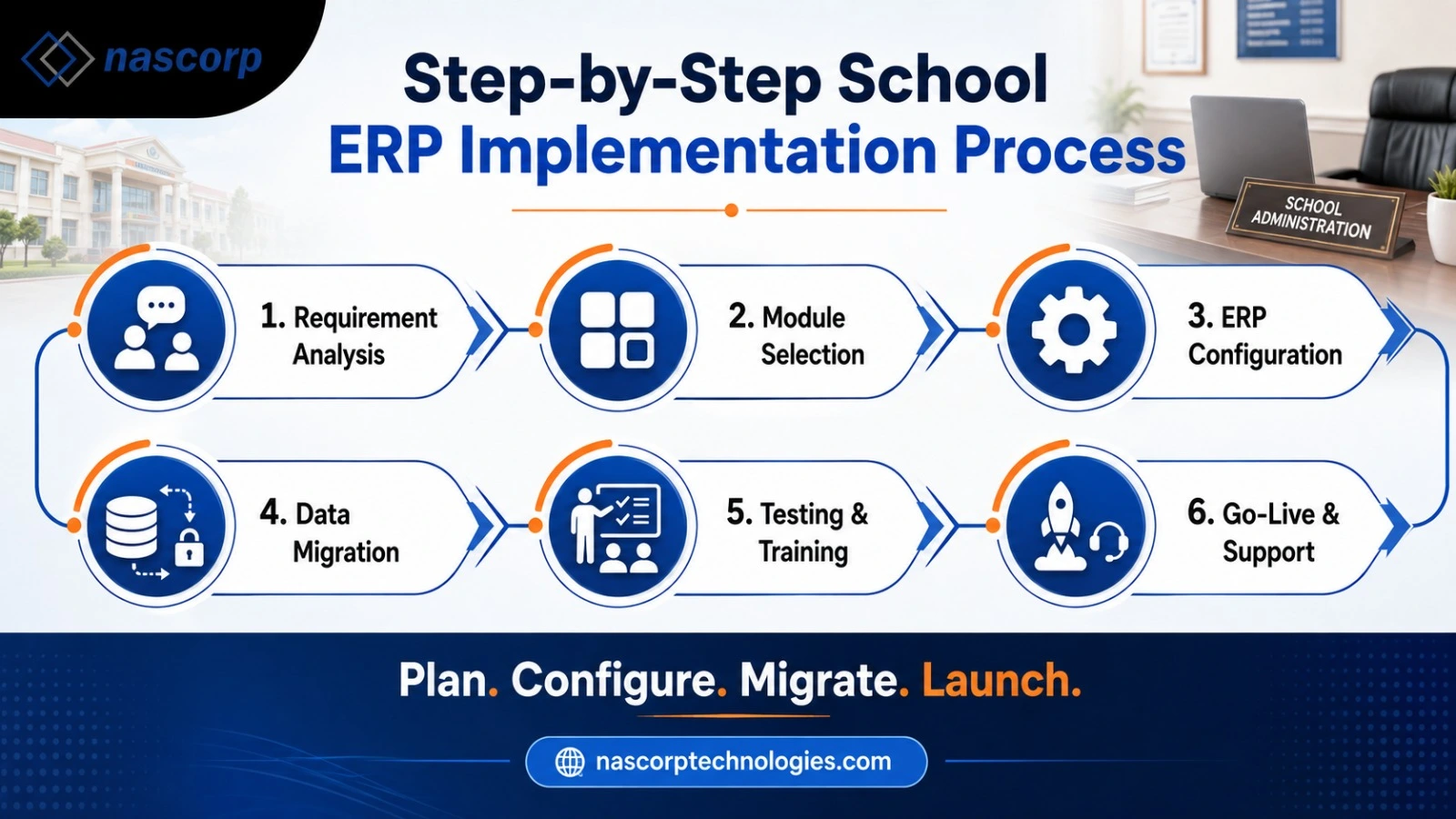
A reliable School ERP Implementation and Data Migration Support System helps schools introduce modern technology without losing important academic or administrative information. Professional School ERP Implementation Services cover requirement analysis, software configuration, module selection, user-role creation, testing, staff training, and go-live assistance. When implementation is properly planned, schools can adopt the new platform with less confusion and better operational control.
A modern School ERP Implementation and Data Migration Support System helps educational institutions move from scattered or outdated processes to one centralized digital platform. However, purchasing School ERP software is only the beginning. The real success of the system depends on proper requirement analysis, configuration, data migration, testing, staff training, and post-implementation support.
Nascorp Technologies offers a comprehensive School ERP solution designed for CBSE schools, private schools, residential schools, large educational institutions, and multi-branch school groups. Along with integrated ERP modules, schools can receive implementation guidance and data migration support based on their existing records, operational requirements, and available data formats.
What Is a School ERP Implementation and Data Migration Support System?
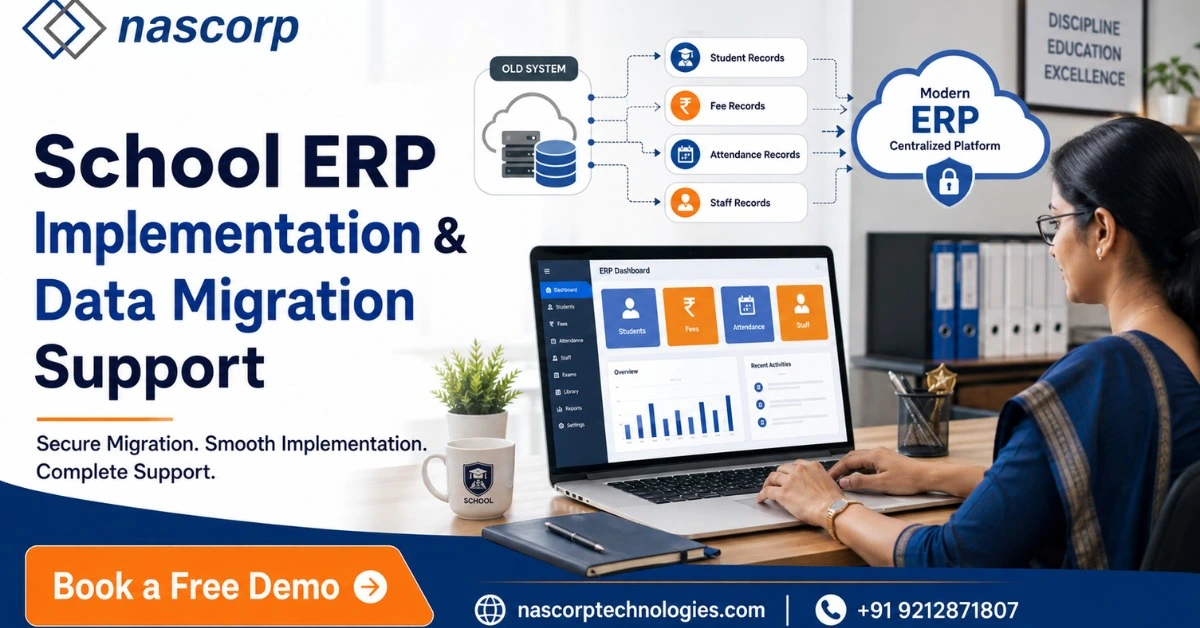
A School ERP implementation system is a structured process through which School ERP software is configured and introduced into an educational institution. It involves understanding the school’s administrative and academic processes, selecting the required modules, setting up user roles, configuring policies, testing workflows, training employees, and launching the software for regular use.
Data migration is the process of moving important information from an existing source into the new School ERP. The existing source may include an old ERP platform, Excel sheets, CSV files, accounting software, offline databases, or manually maintained digital records. The data may include student profiles, parent information, fee records, employee details, attendance history, transport information, and other operational records.
A reliable School ERP software with data migration support brings implementation and migration together. This helps the school introduce the new platform with greater accuracy, better planning, and minimum disruption to ongoing academic and administrative activities.
Why Proper School ERP Implementation Is Important
School ERP software connects several departments and users. Administrators may manage student records, accountants may handle fees and financial reports, teachers may update attendance and examination marks, HR teams may manage employees, and parents may use the mobile app to receive notices or make online payments. If the ERP is implemented without understanding these responsibilities, staff members may struggle to use it effectively.
Proper School ERP implementation ensures that modules, access permissions, workflows, report formats, fee structures, academic sessions, examination patterns, and communication settings are configured according to the school’s actual requirements. It also helps identify which processes should be automated and which ones require approval from authorized users.
A planned implementation reduces confusion after launch. Instead of asking staff members to adapt suddenly to a completely new system, the school can introduce the platform through demonstrations, role-based training, testing, and gradual adoption. This improves user confidence and helps the management obtain value from the ERP more quickly.
Book a free School ERP implementation consultation.
Why Schools Need Data Migration Support
Professional School ERP Data Migration Services help educational institutions transfer relevant information from an old ERP, Excel sheets, CSV files, offline databases, or other existing systems. A School ERP Software with Data Migration Support allows schools to protect important records while moving towards a more organized and centralized management platform.
A structured School ERP data migration service helps reduce this risk. Before migration begins, the available data is reviewed to understand its format, quality, completeness, and compatibility with the new ERP. Fields from the old system are then mapped to corresponding fields in the new software. For example, an “Admission Number” field in an Excel sheet must be correctly connected to the student admission number field in the new ERP.
Migration support is not simply about copying files. The data needs to be cleaned, classified, mapped, imported, tested, and verified. Duplicate records, missing values, inconsistent spellings, incorrect dates, and outdated contact information may need attention before the final import. This preparation helps the school begin using the new system with more reliable information.
Common Data That Can Be Considered for Migration
The exact data that can be migrated depends on the existing system, available file formats, data quality, technical compatibility, and requirements of the school. A preliminary assessment is therefore necessary before confirming the scope.
Common categories may include:
- Student profiles and admission records
- Parent and guardian information
- Parent and guardian information
- Previous examination results
- Fee structures and payment records
- Outstanding fee information
- Employee and teacher records
- Transport routes, stops, and vehicle information
- Library records
- Student documents and photographs
- Attendance records
- Login and communication-related information
Not every school needs to migrate every historical record. Some institutions may choose to migrate only active students, current employees, opening fee balances, and the present academic session. Others may require multiple years of information for reporting or compliance purposes. The migration plan should therefore be based on the school’s operational needs rather than transferring unnecessary data.
Challenges of Replacing an Existing School ERP
Replacing School ERP software can become difficult when the old system uses a different data structure or does not provide a convenient export facility. In some cases, the school may have records in multiple formats, such as Excel sheets for admissions, separate software for fees, and offline files for employees. This creates additional work during data consolidation.
Another challenge is poor data quality. Student names may be entered differently across departments, admission numbers may be duplicated, mobile numbers may be missing, and dates may use inconsistent formats. If such information is transferred without validation, the new system may carry the same problems.
Staff resistance is also common. Employees who have used one system for several years may be uncomfortable with new screens and workflows. This is why implementation should include practical training, user manuals where required, and sufficient testing time.
Schools may also face difficulties if the transition is planned during examinations, admissions, fee collection, or other busy periods. A carefully prepared timeline can help the institution avoid unnecessary operational pressure.
Step-by-Step School ERP Implementation Process
1. Requirement Discussion
The implementation process begins with a detailed discussion involving the school management and relevant departments. The objective is to understand how the institution currently manages admissions, fees, attendance, examinations, transport, employee records, parent communication, and reporting.
This stage identifies the school’s immediate requirements, future expectations, number of students, number of branches, user roles, existing software, and integration needs. It also helps determine which modules should be introduced first.
2. Existing Process Assessment
The implementation team studies the school’s present workflows. For example, it may review how fee concessions are approved, how student attendance is recorded, how report cards are prepared, and how parents receive notices.
This assessment helps prevent the new system from being configured on assumptions. It also reveals manual steps that can be simplified or automated.
3. Module Selection and Planning
Schools do not always need every available module on the first day. Based on priorities, the institution may begin with student management, admissions, fees, attendance, examinations, and communication. Transport, inventory, HR, payroll, library, and other modules can be included according to the implementation plan.
A clear module-wise schedule ensures that departments know when their configurations, data, training, and testing will be required.
4. ERP Configuration
The software is configured according to the institution’s structure and policies. Configuration may include academic sessions, classes, sections, subjects, fee cycles, fee heads, concessions, transport routes, user permissions, examination patterns, grading systems, attendance rules, and communication templates.
Role-based access should be planned carefully. Teachers, accountants, administrators, principals, and management users should only receive access relevant to their responsibilities.
5. Data Collection and Preparation
Before migration, the school provides available data in the agreed format. The information is examined for duplicate entries, missing fields, outdated records, and formatting inconsistencies.
The school may be asked to verify critical fields such as admission numbers, student status, class allocation, outstanding balances, employee codes, and parent contact details. Clean source data improves the quality of the final migration.
6. Data Mapping
During data mapping, fields from the old records are connected to fields in the new School ERP. For example:
- Student ID to admission number
- Grade to class
- Division to section
- Guardian number to parent mobile number
- Fee balance to opening outstanding amount
- Employee ID to staff code
Data mapping prevents information from being imported into incorrect sections. It is one of the most important stages of secure and accurate School ERP migration.
7. Trial Data Migration
Instead of immediately importing the complete database, a limited sample may be migrated first. The school and implementation team can then verify whether student names, classes, fee balances, contact details, and other information are appearing correctly.
If errors are found, the mapping or source data can be corrected before final migration. A trial run reduces the risk of large-scale mistakes.
8. User Acceptance Testing
User acceptance testing allows selected employees to perform real tasks in the configured system. Accountants can test fee collection, teachers can test attendance and marks entry, administrators can check student reports, and management users can review dashboards.
This stage confirms whether workflows match the school’s requirements. It also provides an opportunity to identify necessary configuration changes before launch.
9. Staff Training
A School ERP can only deliver results when users understand how to operate it. Training should be based on responsibilities rather than providing the same session to everyone.
Teachers need training for attendance, homework, communication, and examinations. Accounts employees require fee collection and financial reporting training. Administrators may need access to admissions, student records, certificates, transport, and reporting. Management users should understand dashboards, approvals, and MIS reports.
10. Go-Live and Initial Support
After configuration, migration, testing, and training are completed, the system can go live. The launch may take place module by module or across selected departments based on the school’s implementation plan.
During the initial period, users may require assistance with new workflows and reports. Responsive implementation support helps departments resolve questions and adapt to the system more comfortably.
School ERP Modules That Can Be Implemented
Nascorp School ERP offers an integrated environment for managing academic and administrative operations. Schools can select modules according to their requirements and implementation priorities.
Student Information Management
The student information module maintains centralized profiles containing admission details, parent information, contact records, class allocation, documents, photographs, transport details, academic history, and other relevant information. Authorized users can access updated records without depending on multiple registers or files.
Admission and Enquiry Management
Schools can manage enquiries, applications, registration, admission confirmation, document collection, and applicant communication. A structured admission workflow helps staff track prospective students and reduce manual follow-ups.
Fee Management and Online Payments
The fee module supports fee structures, due dates, concessions, receipts, outstanding reports, reminders, and online fee payments. It helps school accounts teams maintain more accurate records while providing parents with convenient payment options.
Attendance Management
Teachers can record attendance digitally, while administrators can generate daily or monthly reports. Depending on available features and integrations, schools can also manage attendance alerts, leave requests, and biometric attendance.
Examination and Report Cards
Schools can configure examinations, subjects, grading structures, marks, remarks, and report-card formats. CBSE schools can use configurable assessment and reporting workflows based on their academic requirements.
Parent-School Communication
Announcements, circulars, homework, fee reminders, attendance alerts, and other information can be communicated through connected channels. Better communication helps reduce dependency on printed notices and scattered messaging groups.
Transport Management
Schools can manage vehicles, routes, stops, students, staff, fee allocation, maintenance records, and related reports through the transport module. GPS integration requirements can be discussed during implementation.
HR and Payroll
The HR and payroll modules support employee profiles, recruitment, attendance, leave, salary calculations, deductions, payslips, and reports.
School Mobile Applications
Mobile applications help parents, teachers, employees, and management users access relevant information from their devices. Depending on their assigned roles, users may view attendance, homework, notices, fee details, results, and other updates.
School MIS and Management Reports
School leadership can use reports and dashboards to monitor fee collection, attendance, admissions, student strength, academic performance, and other important indicators. Centralized reporting supports more informed decision-making.
Data Security During School ERP Migration
Student, parent, employee, and financial information is sensitive. Schools should therefore discuss data handling, access permissions, backups, and verification procedures before migration begins.
Data should only be shared through approved methods and accessed by authorized individuals. Backup copies of existing records should be retained until the migrated information has been checked and formally accepted. User permissions within the new ERP should also be configured according to roles so that sensitive information is not available to everyone.
After migration, the school should verify critical totals and records. Examples include the number of active students, class-wise student strength, opening fee balances, employee counts, and transport allocations. This reconciliation helps identify missing or incorrectly mapped information.
Benefits of a School ERP with Data Migration Support
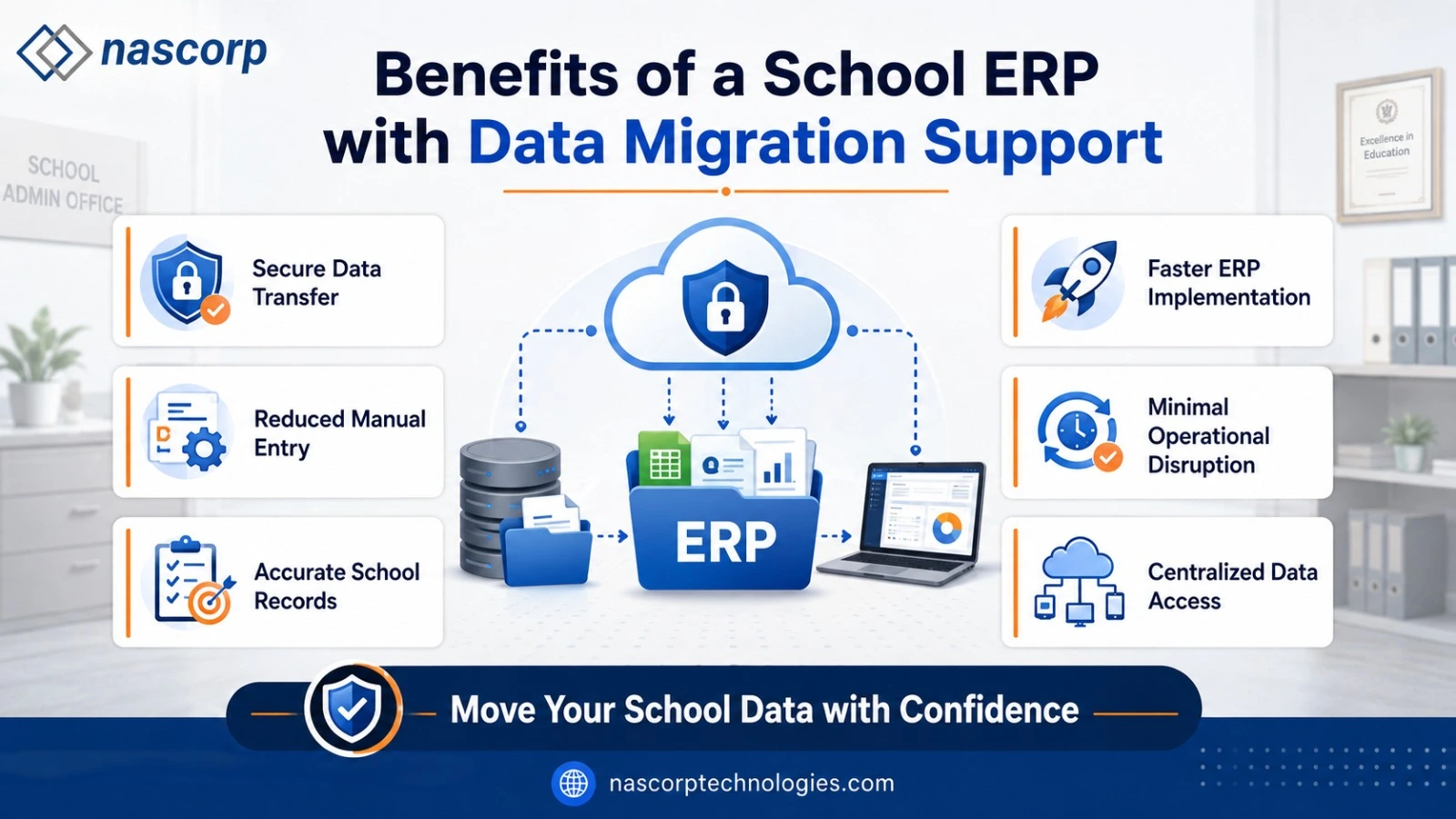
A well-implemented School ERP can improve both administrative control and everyday user experience. Centralized data reduces dependency on separate files, while integrated modules allow information to move more consistently between departments.
Schools can experience benefits such as:
- Reduced manual data entry
- Improved accuracy of student records
- Faster availability of reports
- Better coordination between departments
- Easier fee and attendance monitoring
- More organized parent communication
- Secure role-based access
- Reduced paperwork
- Better support for multiple branches
- Easier expansion as student strength grows
The real benefit does not come from migration alone. It comes from moving clean, relevant data into a properly configured system and ensuring that employees understand how to use it.
Replace your old School ERP without unnecessary disruption.
School ERP Implementation for CBSE Schools
School ERP Migration Services for CBSE Schools
Professional School ERP Migration Services for CBSE Schools can help transfer relevant student, fee, employee, and academic information to a configurable ERP platform. During implementation, the school should provide its class structure, subjects, examination patterns, grading rules, report-card formats, and academic workflows so that the system can be configured according to institutional requirements.
Apart from academics, CBSE schools can use integrated modules for admissions, fee collection, transport, library, HR, payroll, certificates, communication, and management reporting.
School ERP Implementation for Multiple Branches
Multi-branch schools need both centralized control and branch-level operational flexibility. Management may require consolidated reports across all campuses, while each branch needs permission to manage its own students, employees, fees, attendance, and academic activities.
During implementation, the institution should define:
- Branch-wise user permissions
- Central and branch-level fee policies
- Common and independent academic structures
- Consolidated management reports
- Branch-specific communication controls
- Student transfer processes between branches
- Centralized employee and payroll requirements
A properly configured multi-branch School ERP allows school groups to standardize important processes while maintaining appropriate operational access for individual campuses.
How Long Does School ERP Implementation Take?
There is no single implementation timeline suitable for every school. The time required depends on the number of students, selected modules, number of branches, existing data quality, customization requirements, integrations, staff availability, and testing process.
A school implementing a limited number of standard modules may require less time than a multi-branch institution migrating several years of data with customized reports and integrations. A realistic schedule should therefore be prepared after requirement analysis and data assessment.
Rushing the implementation may lead to incomplete configurations, migration errors, or insufficient training. A phased and properly tested rollout is generally more dependable than launching every module without preparation.
How to Prepare Your School for ERP Migration
Before beginning the transition, schools should appoint an internal coordinator who can communicate with different departments and the implementation team. Each department should identify its key users and confirm the information required for migration.
The school should also:
- Identify all existing data sources.
- Create backups of important records.
- Remove duplicate and outdated information.
- Standardize dates, names, codes, and contact formats.
- Confirm active students and employees.
- Verify outstanding fee balances.
- Collect sample reports and documents.
- Define access permissions.
- Select employees for testing.
- Schedule training away from critical school activities.
Good internal preparation can significantly improve the speed and accuracy of implementation.
Why Choose Nascorp Technologies?
Nascorp Technologies provides School ERP software for institutions looking to centralize academic and administrative operations. The platform includes modules for student information, admissions, fees, attendance, examinations, report cards, communication, transport, library, HR, payroll, mobile applications, and School MIS.
Schools planning to replace an existing system can discuss their available data, required modules, operational challenges, and implementation expectations with the Nascorp team. Migration feasibility and scope can then be evaluated based on data formats and institutional requirements.
The objective is not only to install new software but to help the school establish a more organized digital management system that staff members can use in their everyday work.
Request your free School ERP demo today.
Frequently Asked Questions
1. What is School ERP implementation?
School ERP implementation is the process of configuring, testing, training, and introducing ERP software into a school. It includes requirement analysis, module setup, user-role creation, data preparation, testing, and go-live support.
2. What is School ERP data migration?
School ERP data migration is the process of transferring selected records from an old ERP, spreadsheet, database, or another source into a new School ERP platform.
3. Can data from an existing School ERP be migrated?
Migration may be possible depending on the availability, quality, format, and compatibility of the existing data. A technical assessment is required before confirming the complete migration scope.
4. Is data migration safe for schools?
Data migration can be managed more securely when backups, controlled access, field mapping, trial imports, validation, and final reconciliation are included in the process.
5. Can Excel records be transferred to School ERP software?
Structured Excel or CSV records may be considered for migration after reviewing field formats, duplicate entries, missing values, and compatibility with the new system.
6. Can historical examination and fee records be migrated?
Historical records may be considered depending on the available format and the school’s reporting requirements. The exact scope should be finalized during data assessment.
7. Does School ERP implementation include staff training?
A complete implementation process should include role-based training for administrators, teachers, accounts employees, HR teams, and management users.
8. Is the system suitable for CBSE schools?
Yes, a configurable School ERP can support CBSE schools with student records, examinations, report cards, attendance, fees, communication, and administrative management.
9. Can multiple school branches be managed?
A multi-branch School ERP can provide branch-level access and centralized reports. The required permissions, workflows, and reporting structure should be defined during implementation.
10. How can a school request a demonstration?
Schools can contact Nascorp Technologies, share their requirements, and request a product demonstration to understand relevant modules, implementation options, and data migration support.
Conclusion
A School ERP Implementation and Data Migration Support System enables schools to modernize their operations without ignoring the value of their existing information. When migration is supported by careful planning, data cleaning, field mapping, trial imports, testing, and verification, the transition becomes more organized and manageable.
Successful implementation also requires the active involvement of school management and staff. Clearly defined responsibilities, realistic timelines, role-based training, and proper testing help users adopt the new system confidently. Instead of treating ERP implementation as a simple software installation, schools should view it as a planned improvement in how academic and administrative work is managed.
Nascorp Technologies offers an integrated School ERP solution for CBSE, private, residential, large, and multi-branch schools. Institutions can manage student information, admissions, fees, attendance, examinations, communication, transport, HR, payroll, mobile applications, and MIS through one centralized platform.
Schools considering an ERP replacement or digital upgrade can discuss their current challenges, available records, required modules, and migration expectations with the Nascorp team.


